
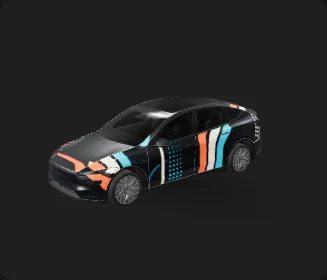
Retro Synthwave Rally
“Charcoal full-field pattern with broad coral, lake-blue, and warm-ivory speed bands, rounded line breaks, sparse halftone dots, and quiet semicircle accents. Abstract retro motion only; no cars, roads, racing numbers, checkered flags, teams, text, logos, brands, or existing IP.”

Free preview here: 512 px, watermarked. 5 credits unlock the clean 1024 px PNG for Paint Shop.요금 보기
시네마틱한 시각 방향의 스튜디오 오리지널 디자인. 디지털 Paint Shop 작업 흐름용.
화면 속 차량 커스터마이징용 디지털 Paint Shop PNG이며, 실제 비닐 랩 제품이 아닙니다.
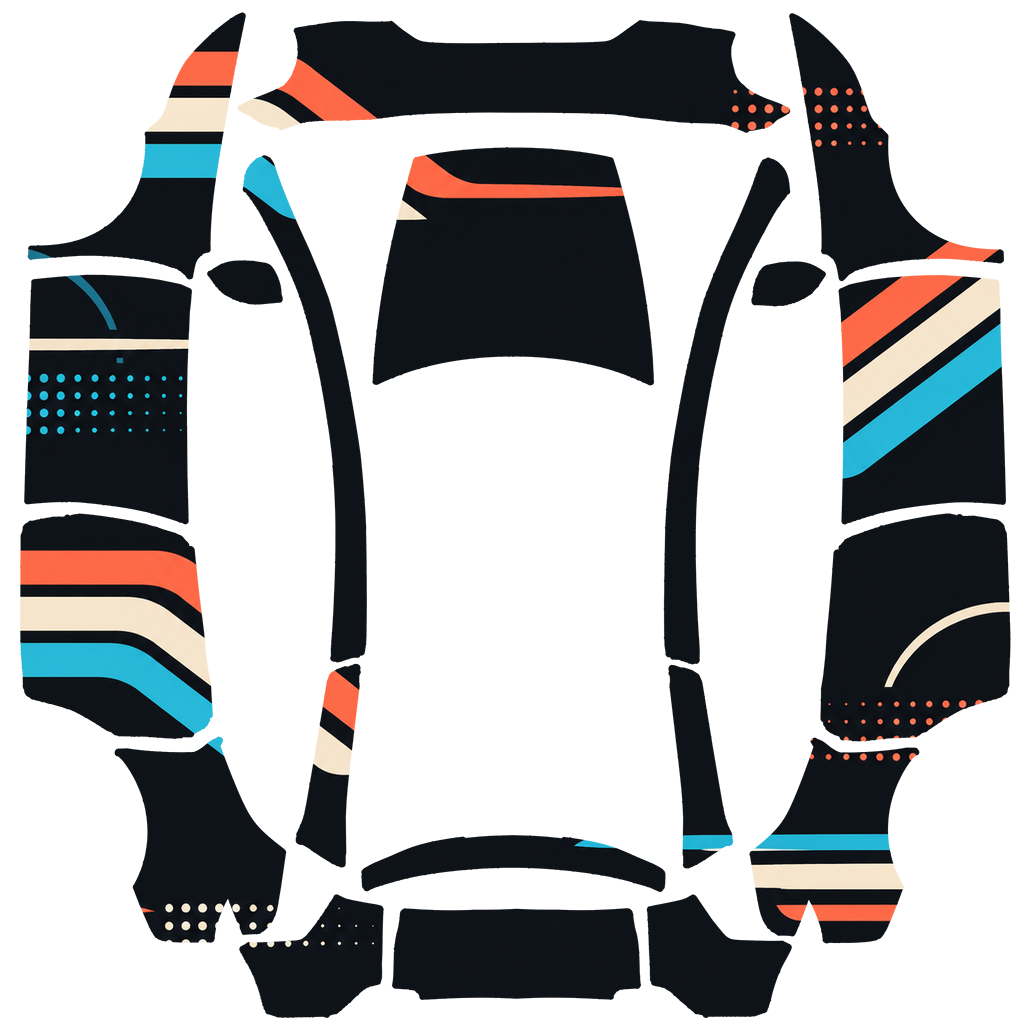
The wrap PNG you download
The watermarked preview on this page is 512 px wide — enough to judge the design, not enough for Paint Shop. Exporting with 5 credits releases the clean 1024 px source with no watermark, ready for a USB stick or the Tesla app.
The design covers the full body, so every panel of your Model Y L is mapped. The paid export is the original file the author uploaded, at full resolution.
About this design
Retro Synthwave Rally is an original AI-generated cinema-inspired digital design for the Tesla Model Y L. Broad style terms informed the visual direction, while recognizable characters, logos, titles, props, and story-world elements were excluded. The downloadable asset is a digital Paint Shop PNG, not a physical vinyl wrap.
How to install on Tesla Paint Shop
- 1Download the wrap PNG. Download this wrap as a 1024×1024 PNG file no larger than 1 MB.
- 2Upload with the Tesla App. In Tesla App v4.59.0 or later, open Creations → Wrap → Upload and select the PNG.
- 3Or use a USB drive. Copy the PNG into a root-level Wraps folder on a FAT32 or exFAT drive, then connect it to the car.
- 4Apply it in Paint Shop. Open Toybox → Paint Shop → Wraps, select the custom wrap, and preview it on the 3D model.
Frequently asked questions
How many credits does this wrap download cost?
Each PNG download costs 5 credits after you sign in.
What file format and size does it use?
It downloads as a 1024×1024 pixel PNG no larger than 1 MB. Tesla accepts PNGs from 512×512 through 1024×1024 pixels.
How do I install this wrap?
Download the PNG, then use Tesla App v4.59.0 or later at Creations → Wrap → Upload. As a USB fallback, put it in a root-level Wraps folder.
Can I customize this design before using it?
Yes. Open it in the browser wrap editor to change colors, add text or images, then export your own PNG for 5 credits.