
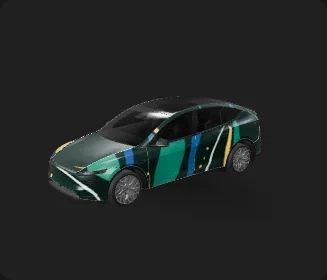
Moonlit Folklore Garden
“Deep-moss full-field pattern with broad forest-green leaf planes, indigo moonlight curves, amber arcs, and sparse mist-white highlights. Keep the composition abstract and balanced across all quadrants; no creatures, masks, shrines, characters, folklore icons, text, logos, vehicles, or existing IP.”

Free preview here: 512 px, watermarked. 5 credits unlock the clean 1024 px PNG for Paint Shop.See credit packs
Original studio design with a cinematic visual direction, prepared for a digital Paint Shop workflow.
Digital Paint Shop PNG for on-screen vehicle customization, not a physical vinyl-wrap product.
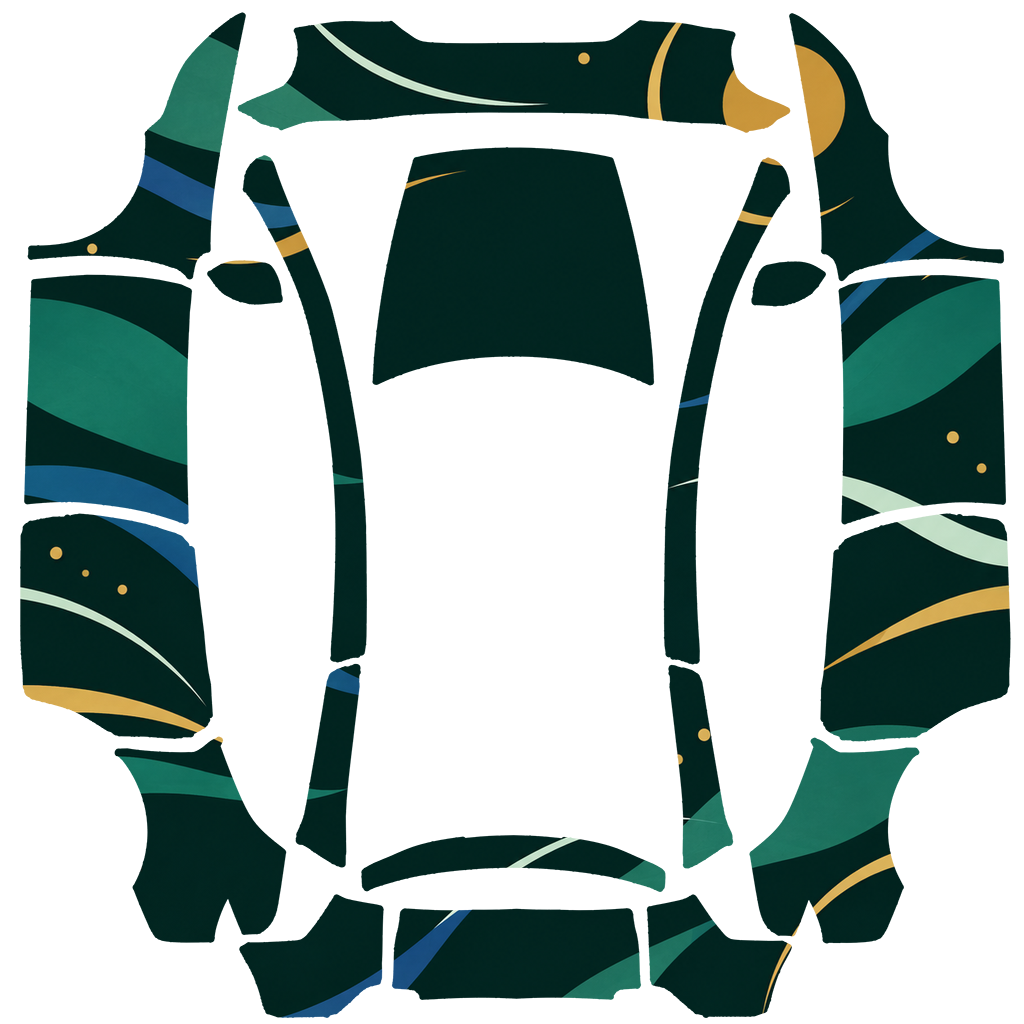
The wrap PNG you download
The watermarked preview on this page is 512 px wide — enough to judge the design, not enough for Paint Shop. Exporting with 5 credits releases the clean 1024 px source with no watermark, ready for a USB stick or the Tesla app.
The design covers the full body, so every panel of your Model Y L is mapped. The paid export is the original file the author uploaded, at full resolution.
About this design
Moonlit Folklore Garden is an original AI-generated cinema-inspired digital design for the Tesla Model Y L. Broad style terms informed the visual direction, while recognizable characters, logos, titles, props, and story-world elements were excluded. The downloadable asset is a digital Paint Shop PNG, not a physical vinyl wrap.
How to install on Tesla Paint Shop
- 1Download the wrap PNG. Download this wrap as a 1024×1024 PNG file no larger than 1 MB.
- 2Upload with the Tesla App. In Tesla App v4.59.0 or later, open Creations → Wrap → Upload and select the PNG.
- 3Or use a USB drive. Copy the PNG into a root-level Wraps folder on a FAT32 or exFAT drive, then connect it to the car.
- 4Apply it in Paint Shop. Open Toybox → Paint Shop → Wraps, select the custom wrap, and preview it on the 3D model.
Frequently asked questions
How many credits does this wrap download cost?
Each PNG download costs 5 credits after you sign in.
What file format and size does it use?
It downloads as a 1024×1024 pixel PNG no larger than 1 MB. Tesla accepts PNGs from 512×512 through 1024×1024 pixels.
How do I install this wrap?
Download the PNG, then use Tesla App v4.59.0 or later at Creations → Wrap → Upload. As a USB fallback, put it in a root-level Wraps folder.
Can I customize this design before using it?
Yes. Open it in the browser wrap editor to change colors, add text or images, then export your own PNG for 5 credits.